Script Loading Order
ESM Scripts
ESM Scripts do not have an explicit loading order, and should not be relied upon to load in a specific order. Instead, you should use module import statements to declare dependencies between modules.
Classic Scripts
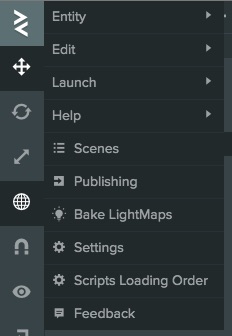
Generally all scripts are loaded at the beginning of your application. The loading order is determined by a setting in your project which you can access from the main Editor menu or Scene Settings:
The loading order panel shows all Classic scripts marked as preload and the order that they are loaded and executed in.
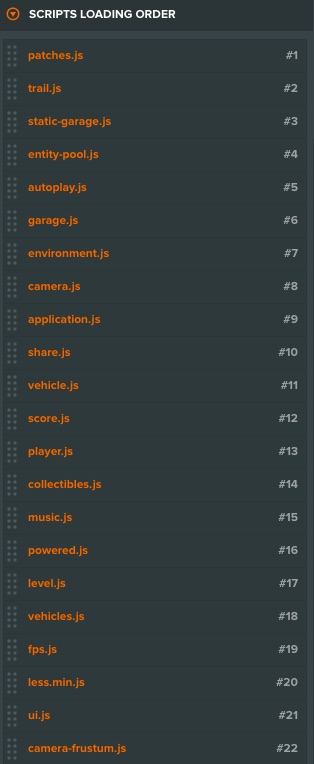
You can click-and-drag to move individual scripts around to edit the order.
When scripts are first loaded, they are immediately executed. That means that the scripts are first executed in the order that they are loaded. However, the loading order of the script does not affect the execution of order of script methods within script component. For example, the initialize methods of scripts on the same entity are called in the order that they are listed on the Entity, not the loading order.
Preloading
By default, as with other assets in PlayCanvas, a script asset is marked as preload. This means that it will be loaded before the application starts. If you disable preloading on a script, it will not be loaded under normal circumstances. This way, you can include a script in your project but prevent it from loading by unchecking preload. You can trigger a non-preloading script to load dynamically by using the regular asset API (see AssetRegistry#load).
It is possible to subscribe to dynamic changes to script registry:
this.app.scripts.on('add', (name, scriptType) => {
    console.log('script', name, 'has been loaded');
});
Publishing
When you publish your application, or download it in the static format, the build processes Classic scripts and ESM Scripts differently. The Concatenate Scripts and Minify Scripts build options control how much processing happens (see PlayCanvas Hosting). For the files each kind of project produces, see Downloading Projects.
The npm download format works differently: it produces a Vite project that keeps your scripts as source files, so the rest of this section and these build options don't apply to it.
Classic Scripts
By default, all preloaded Classic scripts are concatenated into a single script file. This optimizes load time by reducing the number of requests that are needed to load all your scripts.
ESM Scripts
A project that contains ESM Scripts is built as an ES module application, with js/index.mjs as its entry point. With Concatenate Scripts enabled, which is the default, the build bundles your ESM Scripts together with the engine:
- Bundled output: The engine and the application's startup code are bundled into
js/index.mjs. Your preloaded ESM Scripts are bundled into one shared module thatjs/index.mjsloads at startup. - Tree-shaking: Engine code that your project doesn't use is left out of the bundle. Your own modules are kept whole, because every module asset in the project stays loadable by its path.
- Code splitting: A module that is loaded only with a dynamic
import()and has Preload turned off goes into a separate file, which is downloaded the first time theimport()runs. Preloaded modules always go into the shared module, whether you import them statically or dynamically. - Minification: With Minify Scripts enabled, the bundled code is also minified to reduce its download size.
Code splitting lets you defer code that isn't needed at startup, such as menus, optional tools or cutscenes. In this example, cutscene.mjs has Preload turned off, so it is downloaded when play() first runs rather than when the application loads:
import { Script } from 'playcanvas';

export class Intro extends Script {
    static scriptName = 'intro';

    async play() {
        const { Cutscene } = await import('./cutscene.mjs');
        new Cutscene(this.app).play();
    }
}
With Concatenate Scripts disabled, each ESM Script is written to the build as its own module, the engine is loaded as a separate module and nothing is minified.
Mixing ESM and Classic Scripts
You can use ESM and Classic scripts in the same project, but the build handles them separately:
- ESM Scripts are bundled as described above.
- Classic scripts stay outside the ESM bundle. With Concatenate Scripts enabled, they are concatenated into a single file of their own, as in a project that only has Classic scripts.
- Classic scripts reach the engine through the global
pcnamespace, so the build includes the whole engine instead of tree-shaking it.
Don't use import() in a Classic script to load an ESM module. The build moves ESM modules to new paths and only updates the imports inside ESM Scripts, so an import() that works when you launch from the Editor fails in the published application. The Code Editor shows a warning when a Classic script contains import().